Cute Hand Draw Pattern: A Practical Guide for Designers and Creators
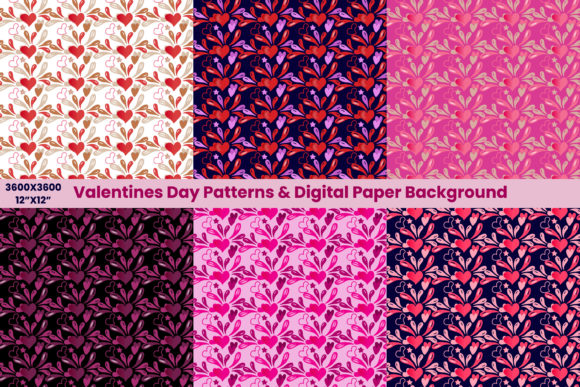
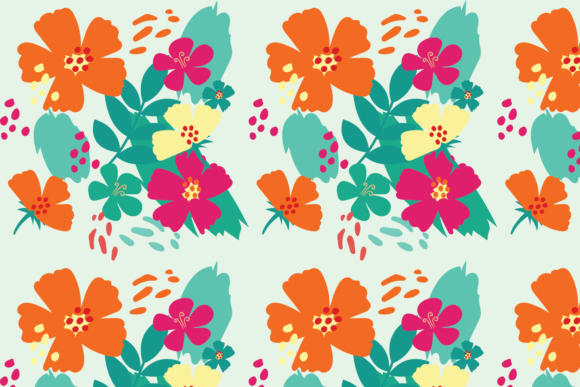
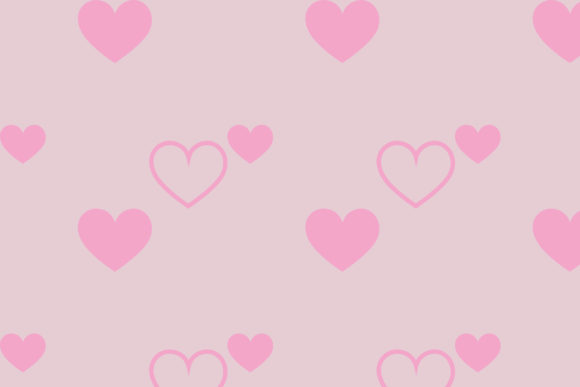
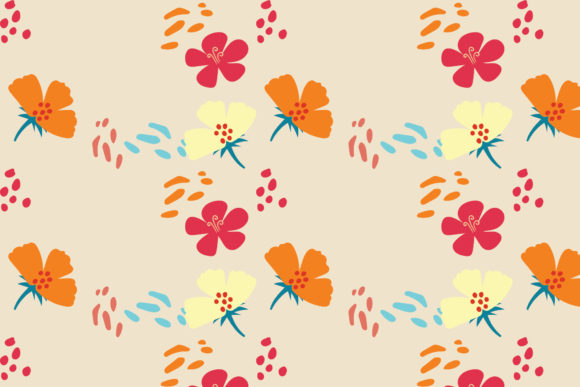
A Cute Hand Draw Pattern refers to a digitally delivered, intentionally imperfect, hand-crafted visual motif—often composed of repeating or standalone illustrations like doodles, whimsical icons, organic shapes, or playful line art. Unlike rigid vector geometry or algorithmically generated repeats, this style embraces variation in line weight, slight asymmetry, texture, and expressive imperfection. It’s designed to evoke warmth, approachability, and human intention—not machine precision. These patterns are commonly used in branding, packaging, web backgrounds, print-on-demand products, social media assets, and craft projects where personality matters as much as function.
What Makes This Style Distinct from Other Pattern Types?
Compared to geometric, seamless tile, or photorealistic patterns, a Cute Hand Draw Pattern prioritizes tactile authenticity over scalability or technical uniformity. Its charm lies in its subtle inconsistencies: a wobbly border, uneven spacing between elements, or ink-like texture embedded in the lines. That doesn’t mean it lacks professionalism—it means its value is contextual. Where a precise tessellating pattern might suit architectural renderings or technical documentation, a Cute Hand Draw Pattern excels in contexts requiring emotional resonance—think children’s book interiors, boutique stationery, wellness brand collateral, or indie product labels.
It also differs structurally from generative AI patterns. While AI tools can mimic sketchy aesthetics, they often lack intentional rhythm or narrative cohesion across repeats. A well-designed Cute Hand Draw Pattern reflects deliberate compositional choices—how motifs interact across edges, how negative space balances density, and how scale shifts support legibility at different sizes.
Format Flexibility: Why Six File Types Matter in Practice
The availability of six formats—AI, EPS, SVG, DXF, JPG, and PNG—addresses real-world workflow diversity. Each serves distinct production needs:
- AI and EPS: Ideal for professional designers using Adobe Illustrator who need full layer control, editable paths, and color separation for print. These preserve stroke profiles, gradients, and text outlines without rasterization.
- SVG: Best for web developers embedding scalable graphics directly into HTML/CSS. It supports transparency, responsive resizing, and light file size—but assumes browser compatibility and limited editing outside code or vector editors.
- DXF: Used primarily in CNC routing, laser cutting, and vinyl plotting. If you’re applying the pattern to physical signage, apparel cut files, or engraved wood, DXF ensures clean path interpretation by fabrication software.
- JPG and PNG: Serve immediate use cases—social media posts, presentations, mockups, or quick printouts. PNG includes alpha transparency (useful for overlays), while JPG offers smaller file size for web thumbnails or email previews.
Having all six doesn’t guarantee universal usability—but it does reduce format-related roadblocks. You won’t need to convert or trace if your project shifts from digital mockup (PNG) to large-format print (AI) to physical fabrication (DXF). That flexibility saves time and preserves fidelity, especially when working across teams or platforms with differing software access.
Canvas Size and Real-World Scalability
The consistent canvas size of 1920 px × 1280 px across all formats provides a reliable baseline. For screen-based work—website headers, presentation slides, or digital ads—this resolution accommodates most modern displays without upscaling artifacts. In print, it translates cleanly to standard poster sizes (e.g., 16" × 10" at 120 dpi) or high-res output at 300 dpi for smaller applications like business cards or labels.
However, keep in mind that hand-drawn detail doesn’t always scale infinitely. Fine linework may blur or lose clarity when enlarged beyond ~200% in raster formats (JPG/PNG). Vector formats (AI, EPS, SVG, DXF) avoid that limitation entirely—lines remain crisp at any size. So if your end use involves billboards or wall murals, prioritize vector delivery and verify stroke thickness remains legible at extreme scales.
Editing Capability: What “Easy to Use and Edit” Actually Means
The claim that the design is “easy to use and can be edited as needed” holds true—but only within realistic boundaries. In vector files, individual strokes, colors, and groupings are typically organized and labeled, allowing you to recolor elements, adjust spacing, isolate motifs, or replace components. You can delete parts of the repeat, change stroke width, or integrate new illustrations using the same visual language.
That said, editing isn’t magic. Replacing a hand-drawn flower with a completely different botanical element won’t match line quality or shading unless you manually adapt it. Likewise, modifying raster files (JPG/PNG) means working with pixels—not paths—so edits are more constrained: cropping, color adjustment, or overlaying—but not reshaping core elements without visible degradation.
This makes the Cute Hand Draw Pattern well-suited for users with basic vector literacy (Illustrator, Affinity Designer, Inkscape) or those collaborating with designers. It’s less ideal for absolute beginners expecting drag-and-drop customization in Canva or PowerPoint—unless they stick to using the files as-is or with minimal cropping/resizing.
When This Pattern Fits—and When It Might Not
A Cute Hand Draw Pattern shines in projects where tone and relatability drive perception: launching a small-batch candle brand, designing an inclusive educational app interface, creating classroom posters, or building a cozy newsletter aesthetic. Its informality invites engagement without sacrificing polish—provided the execution is intentional and cohesive.
Conversely, it may fall short in contexts demanding strict consistency, regulatory clarity, or technical neutrality. Think corporate compliance documents, engineering schematics, medical device interfaces, or luxury fashion branding aiming for minimalist sophistication. In those cases, cleaner, more restrained patterns—or no pattern at all—often communicate authority and precision more effectively.
Also consider audience expectations. A tech startup targeting enterprise clients may find the playfulness distracting; a children’s toy company, however, would likely see it as an asset. The decision isn’t about objective quality—it’s about alignment between visual language and communication goals.
Comparing Alternatives: When to Look Beyond Hand-Drawn
If your project requires tight repetition across vast surfaces (e.g., wrapping paper rolls or textile printing), a seamless tile pattern built for infinite tiling may offer more predictable results than a hand-drawn variant—even one carefully constructed. Similarly, if you need dynamic interactivity (e.g., animated hover effects on a website), SVG-based generative patterns or CSS-driven solutions may provide more flexibility than static hand-drawn assets.
For rapid prototyping or low-fidelity mockups, free or subscription-based pattern libraries (with filters for “hand-drawn” or “sketch”) can serve as starting points—but often lack the custom integration, layered organization, or commercial licensing clarity offered by a dedicated, well-documented Cute Hand Draw Pattern.
Ultimately, the choice depends on balance: time, control, context, and craftsmanship. A pre-made Cute Hand Draw Pattern delivers verified quality and cross-format readiness. Building one from scratch gives total control but demands illustration skill, pattern logic knowledge, and testing across outputs.
Making Your Decision
Ask yourself three questions before selecting a Cute Hand Draw Pattern:
- Does the visual voice match my project’s intended emotion and audience? (e.g., friendly vs. formal, playful vs. serious)
- Do I have—or can I access—the tools needed to use the formats I’ll rely on most? (e.g., Illustrator for AI, Cricut Design Space for SVG/DXF)
- Is the level of editability sufficient for anticipated changes? (e.g., swapping one icon vs. overhauling the entire composition)
If the answer is yes to all three, this type of pattern offers thoughtful efficiency. If not, it may be worth exploring alternatives—or investing time in refining your criteria first. Either way, choosing with awareness—not urgency—leads to better long-term fit.